
Download Speechson – AI Voice Generator, Text‑to‑Speech, Free Trial
Overview of Speechson
Speechson is a web‑based AI voice generator that turns any written text into natural, human‑like speech. Designed for creators, educators, and developers, the platform offers high‑quality audio output in both MP3 and WAV formats, making it suitable for a wide range of projects such as voice‑overs, virtual assistants, audiobooks, and language‑learning tools. What sets Speechson apart is its expansive library of more than 900 AI voices spanning over 144 languages, from popular choices like English, Spanish, and Mandarin to niche options such as Estonian and Swahili.
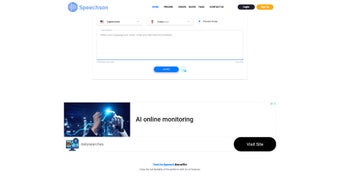
The intuitive interface requires no technical expertise—simply paste your text, select a voice, and hit “Generate.” A free trial allows new users to explore the service without commitment, while transparent pricing plans cater to both occasional hobbyists and heavy‑duty professionals. Security is baked in; all files are processed over encrypted connections and stored only for the duration needed to download. Whether you need a crisp corporate narration or a friendly multilingual chatbot voice, Speechson delivers a reliable, scalable solution that balances quality with affordability.
Key Features That Make Speechson Stand Out
- Over 900 AI‑generated voices covering 144+ languages and dialects.
- High‑fidelity audio export in MP3 and WAV formats.
- Real‑time preview and adjustable speech speed, pitch, and volume.
- Batch processing for bulk text‑to‑speech conversion.
- Secure, cloud‑based generation with GDPR‑compliant data handling.
- Free trial with up to 5 minutes of generated speech per day.
- Flexible pricing plans: pay‑as‑you‑go, monthly subscription, and enterprise licensing.
- API access for developers to integrate speech synthesis into apps, games, and IVR systems.
- Built‑in voice library browser with filters for gender, age, and accent.
- Comprehensive documentation, tutorials, and a responsive support team.
The breadth of language support is particularly valuable for global businesses seeking consistent brand voices across markets. Speechson’s voice‑tuning controls let you fine‑tune pronunciation and emotion, ensuring that the output feels authentic rather than robotic. The batch processing feature streamlines large‑scale projects such as e‑learning modules, where dozens of scripts can be rendered in a single workflow.
For developers, the RESTful API is well documented and includes SDKs for popular languages, allowing seamless integration into existing pipelines. Security‑focused users will appreciate that Speechson does not retain generated files longer than necessary and employs TLS encryption for all data transfers. Overall, the feature set balances depth for power users with simplicity for beginners, making it a versatile tool in the crowded text‑to‑speech market.
Installation, Usage, and Compatibility
Because Speechson is a fully cloud‑based service, there is no traditional installation required. Users simply visit the official website, create a free account, and begin generating speech directly from the browser. The platform supports all modern browsers—including Chrome, Firefox, Edge, and Safari—on Windows, macOS, Linux, as well as mobile browsers on Android and iOS. For teams that prefer a desktop shortcut, Speechson offers a progressive web app (PWA) that can be “installed” on Windows 10/11, macOS, and mobile devices, providing offline access to the UI (though synthesis still requires an internet connection).
Step‑by‑step guide:
- Navigate to speechson.com and click “Sign Up.”
- Confirm your email address and log in to the dashboard.
- Choose “Text‑to‑Speech” from the main menu.
- Paste or type your script into the text box (max 5 000 characters per request).
- Select a voice from the searchable library; you can filter by language, gender, and accent.
- Adjust optional settings—speed, pitch, volume, and add SSML tags for pauses or emphasis.
- Click “Generate.” The preview loads within seconds; click “Download” to save MP3 or WAV.
- For bulk jobs, upload a CSV file with multiple rows of text and corresponding voice IDs, then start the batch process.
Speechson’s web‑centric design means it works on any operating system that can run a modern browser, making it a truly cross‑platform solution. For developers needing tighter integration, the API can be called from server‑side environments on Windows, Linux, or macOS, as well as from mobile SDKs on Android and iOS. The service also provides webhook callbacks for asynchronous processing, ensuring that large jobs can be tracked without constant polling.
The free trial imposes a daily limit of 5 minutes of speech generation, which is ample for testing voice quality and workflow. Once you’re satisfied, you can upgrade to a paid plan that removes limits and unlocks premium voices. Billing is handled securely via Stripe, supporting major credit cards and PayPal. Overall, Speechson’s zero‑install, browser‑first approach eliminates the friction often associated with desktop TTS software, while still offering powerful features for power users.
Pros, Cons, Frequently Asked Questions, and Final Verdict
Pros
- Extensive voice library with 900+ options across 144+ languages.
- No installation required; works on any modern browser.
- High‑quality MP3 and WAV output suitable for professional use.
- Flexible pricing, including a generous free trial.
- Robust API and batch processing for developers and large projects.
- Secure, encrypted data handling and GDPR compliance.
Cons
- Internet connection is mandatory; offline synthesis is not supported.
- Free tier limits daily usage to 5 minutes, which may be restrictive for heavy testers.
- Advanced SSML features require a learning curve for new users.
- Premium voices are locked behind higher‑price plans.
Frequently Asked Questions
Can I use Speechson for commercial projects?
Yes. All paid plans include a commercial license that permits you to use generated audio in videos, podcasts, advertisements, and software applications.
Is there a limit to the length of text I can convert?
Each request can contain up to 5 000 characters. For longer scripts, you can split the text into multiple requests or use the batch upload feature.
Do I need to download any plugins or extensions?
No plugins are required. Speechson runs entirely in the browser, and the optional PWA can be installed with a single click if you prefer a desktop‑like shortcut.
How secure is my data during processing?
All data is transmitted over TLS 1.2+ encryption, and generated audio files are stored only temporarily. Speechson complies with GDPR and does not retain personal data beyond the download window.
Can I integrate Speechson into my own app?
Absolutely. The RESTful API, complete with SDKs for JavaScript, Python, and Java, allows seamless integration into web, mobile, and desktop applications.
Conclusion & Call to Action
Speechson delivers a compelling blend of breadth and depth in the AI‑driven text‑to‑speech space. Its massive voice catalog, easy‑to‑use web interface, and robust developer tools make it a strong contender for anyone ranging from hobbyist podcasters to enterprise‑level content creators. While the requirement for an active internet connection and the modest free‑tier limits are worth noting, the overall value—especially when you consider the quality of the generated speech—far outweighs these minor drawbacks. If you’re looking for a secure, scalable, and multilingual voice generation solution, Speechson is well worth a test drive.
Ready to give your projects a professional voice? Sign up for the free trial today, explore the extensive voice library, and experience the ease of generating natural‑sounding audio in seconds.
Speechson earns a solid 4.5 out of 5 stars for its expansive language support, high‑quality output, and developer‑friendly API. The platform’s user‑centric design and transparent pricing make it an attractive option for both individuals and businesses seeking reliable AI voice synthesis.



.png)



